
Create PDF/A files in C# and .NET
Save a document as PDF/A for long term archiving, and make it a Factur-X or ZUGFeRD e-invoice.
Short answer
Section titled “Short answer”Set Conformance in PdfSaveOptions when you save. PdfNetStack first checks what it cannot
repair and lists every problem in one exception. When the document passes, it adds an sRGB output
intent, XMP metadata that matches the document information, and the entries PDF/A requires for
attachments, then writes the file.
// PDF/A embeds every font: draw with an OpenType font, not the standard 14.PdfFont regular = PdfOpenTypeFont.Load("fonts/Inter-Regular.woff2");PdfFont bold = PdfOpenTypeFont.Load("fonts/Inter-Bold.woff2");
PdfDocument doc = PdfDocument.Create();doc.Info.Title = "Invoice 2026-114";doc.Info.Author = "Accounts";doc.Language = "en";PdfPage page = doc.Pages.Add(PdfRectangle.A4);using (PdfGraphics g = page.CreateGraphics()){    g.DrawString("Invoice 2026-114", bold, 24, PdfColor.Black, 56, 90);    g.DrawString("Total due: 1,250.00 EUR", regular, 12, PdfColor.Black, 56, 130);}
// factur-x.xml, related as Alternative for the BASIC profile, described in the XMP on save.PdfInvoice.Attach(doc, xml, PdfInvoiceProfile.Basic);doc.Save("invoice-pdfa3.pdf", new PdfSaveOptions { Conformance = PdfConformance.PdfA3B });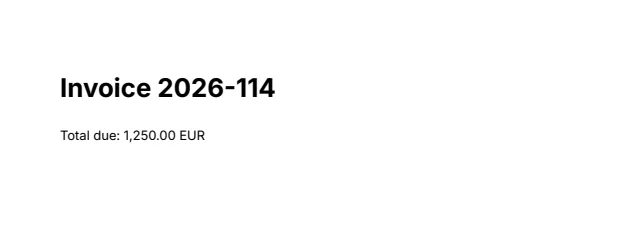
Levels
Section titled “Levels”PdfConformance | Standard | Use it for |
|---|---|---|
PdfA2B | PDF/A-2b (ISO 19005-2) | Archiving with a reliable visual appearance |
PdfA2U | PDF/A-2u | PDF/A-2b with every character mapped to Unicode, so text extracts reliably |
PdfA3B | PDF/A-3b (ISO 19005-3) | PDF/A-2b that may embed files of any type, as e-invoices do |
PdfA3U | PDF/A-3u | PDF/A-3b with Unicode text |
PdfA1B | PDF/A-1b (ISO 19005-1) | Archives for PDF 1.4 readers: written as PDF 1.4 with a classic cross-reference table; transparency, JPEG 2000, optional content and embedded files are refused |
PdfA4 | PDF/A-4 (ISO 19005-4) | PDF 2.0 archives; embedded files must be PDF/A-1, 2 or 4 files |
PdfA4E | PDF/A-4e | PDF/A-4 that also allows 3D and RichMedia annotations |
PdfA4F | PDF/A-4f | PDF/A-4 that embeds at least one file, of any type |
None | The default: no particular standard |
What is checked
Section titled “What is checked”Saving refuses the document, with an InvalidOperationException that lists every problem, when:
- a font is not embedded. The 14 standard fonts are never embedded, so draw with a
PdfOpenTypeFont(see Fonts and text), - for the u levels, a composite font has no ToUnicode map (fonts PdfNetStack embeds always have one),
- DeviceCMYK colors or images are used, since the output intent is sRGB,
- the document is encrypted,
- the document declares a PDF version above 1.7,
- the document has document level JavaScript, document additional actions, or an open action that runs a script or launches a program,
- a page has movie, sound, screen, 3D or rich media annotations, or an annotation other than a link or popup without an appearance,
- a PDF/A-2 document has attachments.
// What cannot be repaired is listed together, in one exception.PdfDocument plain = PdfDocument.Open("report.pdf");plain.Attachments.Add("notes.txt", Encoding.UTF8.GetBytes("notes"), "text/plain");try{ plain.Save("report-pdfa2.pdf", new PdfSaveOptions { Conformance = PdfConformance.PdfA2B });}catch (InvalidOperationException ex){ Console.WriteLine(ex.Message);}For report.pdf, drawn with standard fonts and given an attachment, the message reads:
The document cannot be saved as PDF/A-2b:- Font Helvetica-Bold is not embedded. PDF/A embeds every font: draw with a PdfOpenTypeFont instead of the standard fonts.- Font Helvetica is not embedded. PDF/A embeds every font: draw with a PdfOpenTypeFont instead of the standard fonts.- Font Times-Roman is not embedded. PDF/A embeds every font: draw with a PdfOpenTypeFont instead of the standard fonts.- PDF/A-2 cannot embed files; use PDF/A-3 for attachments such as invoice XML.What is added and repaired
Section titled “What is added and repaired”- An sRGB output intent, with an ICC profile the library computes from the sRGB definition (IEC 61966-2-1). No third party profile ships.
- XMP metadata with the PDF/A identification and the same title, author, subject, keywords,
producer, creator tool and dates as
doc.Info. A missing creation date and producer are filled in, and the modification date is set to the time of saving. - Annotation flags: every annotation is set to print, and its invisible, hidden and no view flags are cleared.
- For PDF/A-3, every attachment is declared as an associated file of the document, with a MIME type and a modification date. Files of file attachment annotations are declared too; PDF/A-2 refuses them.
- For a Factur-X or ZUGFeRD invoice, the
fx:XMP properties and their extension schema.
Set doc.Info.Title and doc.Language before saving: the title goes into the XMP metadata, and
the language into the catalog, where viewers and screen readers read it.
Factur-X and ZUGFeRD invoices
Section titled “Factur-X and ZUGFeRD invoices”A Factur-X or ZUGFeRD invoice is a PDF/A-3 file that carries the invoice XML as an associated
file and describes it in its XMP metadata. The sample above makes one: PdfInvoice.Attach
checks the XML is well formed (without resolving DTDs or external entities), embeds it as
factur-x.xml with the relationship the profile calls for, and records the profile. Saving as
PDF/A-3b or 3u then writes the fx: properties (document type, file name, version, conformance
level) with their PDF/A extension schema, and checks the attachment is still there.
PdfDocument saved = PdfDocument.Open("invoice-pdfa3.pdf");PdfAttachment attached = saved.Attachments[PdfInvoice.FacturXFileName]!;string relationship = (saved.Resolve(attached.Dictionary["AFRelationship"]) as PdfName)?.Value ?? "none";string xmp = Encoding.UTF8.GetString(saved.GetStreamData((PdfStream)saved.Resolve(saved.Catalog["Metadata"])!));Console.WriteLine($"{attached.FileName}: {attached.GetData().Length} bytes, relationship {relationship}");Console.WriteLine($"Factur-X metadata: {xmp.Contains("<fx:ConformanceLevel>BASIC</fx:ConformanceLevel>", StringComparison.Ordinal)}");PdfInvoiceProfile | Profile | Default relationship |
|---|---|---|
Minimum | MINIMUM: the invoice reference data only | Data |
BasicWL | BASIC WL: document level data without lines | Data |
Basic | BASIC: the EN 16931 core with lines | Alternative |
EN16931 | EN 16931, also called COMFORT | Alternative |
Extended | EXTENDED: EN 16931 with additional data | Alternative |
XRechnung | XRECHNUNG: the German public sector’s specialisation | Alternative |
PdfInvoiceOptions changes the attachment’s FileName (factur-x.xml; xrechnung.xml is
also accepted for XRECHNUNG, as earlier ZUGFeRD 2 versions use), its Relationship (Data,
Source or Alternative), the Version written to the metadata (1.0 by default) and the
Modified date. An opened invoice keeps its Factur-X metadata when it is saved again.
PdfNetStack does not check the XML against the profile’s schema or business rules: validate the invoice data before you attach it.
Other attachments
Section titled “Other attachments”PDF/A-3 may embed files of any type: doc.Attachments.Add(name, data, mimeType, description)
embeds one. Each attachment is declared with the relationship Unspecified unless it already has
one. To declare another, such as Supplement, set it on the attachment’s dictionary through the
object model:
// Other attachments are declared Unspecified unless they say otherwise. Set the relationship on// the attachment's dictionary through the object model before saving.PdfDocument data = PdfDocument.Open("invoice-pdfa3.pdf");data.Attachments.Add("timesheet.csv", Encoding.UTF8.GetBytes("day,hours\nMonday,6\n"), "text/csv", "Hours billed") .Dictionary.Set("AFRelationship", new PdfName("Supplement"));data.Save("invoice-with-timesheet.pdf", new PdfSaveOptions { Conformance = PdfConformance.PdfA3B });Attachments can also be listed, read with GetData(), replaced and removed. See
Edit pages for the other document settings.
Documents from other sources
Section titled “Documents from other sources”Conformance works on any PdfDocument: one you open, one you create, or one returned by
HtmlConverter.ConvertToDocument in HTML to PDF. The same checks apply,
so the fonts it uses must be embedded.
Limits
Section titled “Limits”- PDF/A-1b refuses what PDF 1.4 cannot hold, such as transparency and JPEG 2000. Existing PDF/A-1 files keep a classic xref table when the optimizer rewrites them.
- Problems are reported, not repaired: PdfNetStack does not embed missing fonts, convert CMYK or remove scripts for you.
- Invoice XML is checked for well formedness only, not against the Factur-X schemas or rules.
Checked with veraPDF
Section titled “Checked with veraPDF”A CI job validates files of every part made by the library, 1b, 2b, 2u, 3b, 3u, 4, 4e and 4f, with the veraPDF command line tool, among them a Factur-X invoice signed to PAdES B-LTA.
Related
Section titled “Related”- Signatures: sign the archived file last, up to PAdES B-LTA
- Fonts and text: embedded fonts
- Low level objects
- API: PdfSaveOptions, PdfConformance, PdfAttachmentCollection, PdfAttachment, PdfInvoice, PdfInvoiceOptions
Questions
- Which PDF/A levels can PdfNetStack write?
- PDF/A-1b, 2b, 2u, 3b, 3u, 4, 4e and 4f, chosen with PdfSaveOptions.Conformance. The optimizer also keeps existing PDF/A-1 files PDF/A-1 compatible.
- Does PdfNetStack ship a third party ICC profile?
- No. The sRGB output intent uses a profile the library computes from the sRGB definition, so nothing third party ships.
- Can I make Factur-X or ZUGFeRD invoices?
- Yes. PdfInvoice.Attach embeds the invoice XML as factur-x.xml with the profile's relationship, and saving as PDF/A-3 writes the Factur-X XMP properties with their extension schema. Profiles MINIMUM to EXTENDED and XRECHNUNG are supported.
- Is the output checked with veraPDF?
- Yes. A CI job validates files of every part made by the library with veraPDF, 1b to 4f, including a Factur-X invoice signed to PAdES B-LTA.