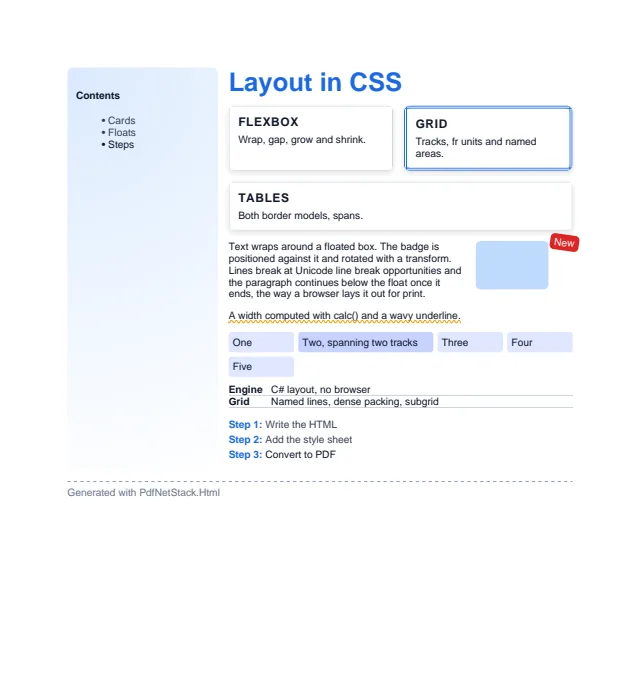
What the converter reads, module by module. A property it does not know, or a value that does
not match the property’s grammar, is dropped as browsers drop it, and the rest of the rule still
applies.
PdfNetStack.Html implements the CSS a print template needs: the cascade, Selectors Level 4,
block, inline, table, flex and grid layout, floats, positioning, paged media, web fonts,
backgrounds, borders, shadows and transforms. It has no multi-column layout, no vertical writing
modes and no JavaScript.
:first-child, :last-child, :only-child, the -of-type forms, :nth-child(), :nth-last-child() with of S, :nth-of-type(), :nth-last-of-type(), :root, :empty
Margin collapsing, box-sizing, min and max sizes, overflow clipping
Inline
Unicode line breaking, text-align with justify, text-indent, white-space, vertical-align (every value), soft hyphens, hyphens, overflow-wrap, word-break
Floats
float, clear, text wrapping around floats
Positioning
relative, absolute, fixed (repeated on every page), z-index in stacking order: positioned boxes, flex and grid items with a z-index, and boxes with opacity below one or a transform start a stacking context; a negative z-index paints under the context’s content
Tables
Both border models, rowspan and colspan, fixed and automatic widths, captions, header and footer groups, header rows repeated on every page
Flexbox
Direction, wrap, gap, grow, shrink and basis, justify-content, align-items, align-self, align-content, auto margins, order
Grid
fr, auto, min-content, max-content, minmax(), repeat() with counts, auto-fill and auto-fit (empty tracks collapse); line names in track lists and repeat(), placement by line, name, span name and named areas with their -start and -end lines; implicit tracks on both sides; grid-auto-flow with row, column and dense; subgrid on rows, columns or both; the grid-template and grid shorthands; alignment
Other
inline-block, inline-flex, inline-grid, flow-root, display: contents, display: none, list items with markers
hyphens: auto hyphenates text in the language of the nearest lang attribute, as long as
HtmlConverterOptions.Hyphenators finds patterns for it. Without that option, or without a lang,
auto behaves like manual, which is what happened before and stays the default. Add the
PdfNetStack.Hyphenation package for the patterns:
// In HTML: hyphens: auto, the language from the nearest lang attribute, and a way to find its patterns.
byte[] pdf =HtmlConverter.ConvertToPdf(
"""<html lang="fr"><body style="hyphens: auto; text-align: justify; width: 200px"><p>Le développement de la bibliothèque.</p></body></html>""",
new HtmlConverterOptions { Hyphenators =PdfHyphenationPatterns.ForLanguage });
File.WriteAllBytes("hyphenation-html.pdf", pdf);
hyphens: none also turns off soft hyphens. Text under white-space: nowrap or
word-break: break-all is not hyphenated, and a word split across inline elements counts as one.
Min-content sizes count the points, so a narrow table column can hyphenate instead of overflowing.
Words are judged as written: text-transform: uppercase over lower case text hyphenates, and text
written in capitals does not. That transform writes the German sharp s as SS.
See Hyphenation for the languages and the words left alone.
Does PdfNetStack.Html support flexbox and CSS grid?
Yes. Flexbox with wrap, gap, grow, shrink, alignment and order, and grid with fr tracks, minmax(), repeat() with auto-fill and auto-fit, named areas and lines, row and column auto-placement with dense packing, and subgrid.
Are @supports, @keyframes and animations supported?
No. Rules that only matter on screen, such as @keyframes and @supports, are skipped. Print layout does not need them.