
Add images to PDF in C# and .NET
Images, vector drawings and pages of other PDFs, placed on a page wherever you want them.
Short answer
Section titled “Short answer”Load an image with PdfImage.Load or an SVG drawing with PdfSvg.Load, then place it with
DrawImage or DrawSvg on a page’s canvas. Positions and sizes are points from the top left of
the page. Each image is written once per document, however often it is drawn.
PdfImage photo = PdfImage.Load("photo.jpg");      // JPEG copied as is, EXIF orientation honoredPdfImage logo = PdfImage.Load("logo.png");        // PNG alpha becomes a soft maskPdfSvg badge = PdfSvg.Load("badge.svg");          // SVG stays vector: sharp at any zoom
g.DrawImage(photo, 40, 40, 320, 200);             // stretched to the rectangle, in pointsg.DrawImage(logo, 380, 40, 150, 50);g.DrawSvg(badge, 380, 110, 150, 60);              // viewBox and preserveAspectRatio decide the fitg.DrawImage(logo, 40, 290);                       // natural size: pixels at their recorded resolution, else 96 dpi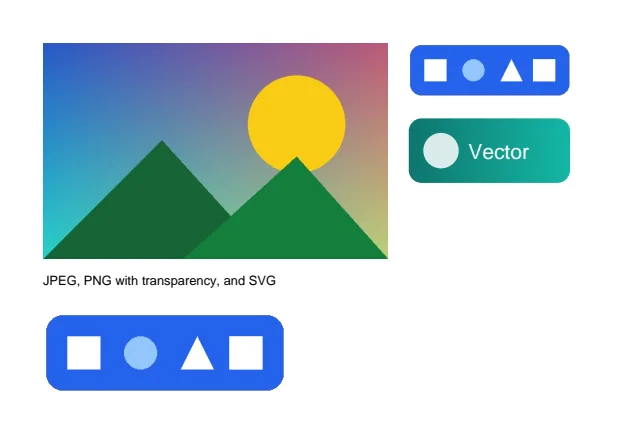
Image formats
Section titled “Image formats”| Format | How it is embedded |
|---|---|
| JPEG | Copied without recompression. EXIF orientation, Adobe CMYK, ICC profiles and JFIF density are honored |
| PNG | All color types and bit depths, interlaced or not. Simple PNGs keep their compressed data; an alpha channel or tRNS transparency becomes a soft mask. ICC profiles and pixel density are kept |
| GIF | GIF 87a and 89a, the first frame, interlaced or not, with its transparent color as a soft mask |
| BMP | 1 to 32 bits per pixel, RLE4 and RLE8, bit fields, top down rows, alpha, or an embedded JPEG or PNG. Decoded and Flate compressed; palette images keep their palette |
| TIFF | Strips and tiles, chunky and planar; uncompressed, PackBits, LZW and Deflate with the predictor, CCITT modified Huffman, Group 3 and Group 4, JPEG; bilevel, gray, palette, RGB, CMYK and YCbCr samples of 1 to 16 bits, associated and unassociated alpha, BigTIFF. A page stored as one strip of fax or JPEG data is embedded as is; other pages are decoded and Flate compressed |
| WebP | Lossy and lossless, with alpha, the first frame of an animation. Lossy WebP decodes to the same pixels as libwebp |
| SVG | PdfSvg: drawn as PDF vectors, see below |
PdfImage.Load takes a path, a stream or a byte array, and reports its Format, PixelWidth,
PixelHeight, HorizontalResolution, VerticalResolution and HasTransparency. Alpha becomes a
soft mask. Decoding is bounded, and an unsupported or damaged file raises a FormatException.
PdfImage webp = PdfImage.Load("photo.webp"); // lossy or lossless WebP, alpha as a soft maskPdfImage bmp = PdfImage.Load("logo.bmp"); // BMP, 1 to 32 bits per pixelPdfImage fax = PdfImage.Load("scan.tif", 1); // page 2 of a multi-page TIFF, from 0Console.WriteLine($"{webp.Format} {webp.PixelWidth}x{webp.PixelHeight}, {bmp.Format}, {fax.Format}");Console.WriteLine($"scan.tif has {PdfImage.GetPageCount("scan.tif")} pages");A TIFF file can hold several pages. PdfImage.GetPageCount counts them and PdfImage.Load(path, page) loads one, from 0; other formats have only page 0. The
TIFF to PDF recipe puts every page of a TIFF on its own PDF page.
Size and placement
Section titled “Size and placement”DrawImage(image, x, y, width, height) stretches the image to the rectangle. DrawImage(image, x, y) draws it at its natural size: its pixels at the resolution the file records, else 96 per inch.
Width and Height give that natural size in points.
Console.WriteLine($"photo.jpg: {photo.PixelWidth}x{photo.PixelHeight} pixels, {photo.Width:F0}x{photo.Height:F0} points at natural size");Fit, alignment and opacity
Section titled “Fit, alignment and opacity”DrawImage(image, x, y, width, height, fit, alignment, opacity) fits an image into a box the way
CSS object-fit does, places it inside the box where it does not fill it, clips whatever spills
over, and fades it as a whole on top of its own alpha.
// Each box is 120 by 120 points; the photo is 640 by 400 pixels.PdfImageFit[] fits = [PdfImageFit.Fill, PdfImageFit.Contain, PdfImageFit.Cover, PdfImageFit.None];foreach (PdfImageFit fit in fits){    g.DrawImage(webp, x, 60, 120, 120, fit, PdfImageAlignment.Center);    g.DrawRectangle(frame, null, x, 60, 120, 120);    g.DrawString(fit.ToString(), label, 10, PdfColor.Black, x, 196);    x += 130;}
// Aligned to the top left of its box, and faded to 40 percent.g.DrawImage(webp, 40, 220, 250, 120, PdfImageFit.Contain, PdfImageAlignment.TopLeft, opacity: 0.4);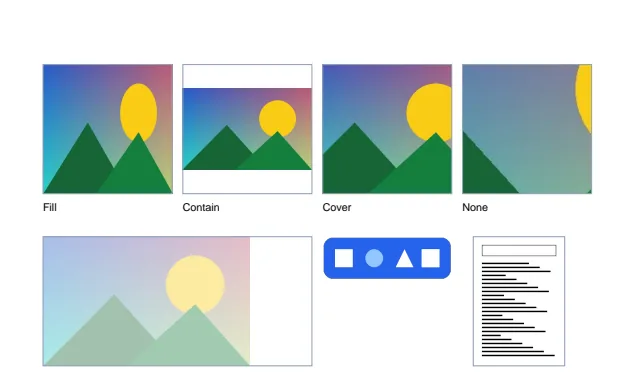
PdfImageFit | Effect |
|---|---|
Fill | Stretched to the box, aspect ratio ignored |
Contain | Scaled to fit inside the box, aspect ratio kept: the whole image shows |
Cover | Scaled to cover the box, aspect ratio kept: what spills over is clipped |
None | At its natural size, clipped to the box |
ScaleDown | At its natural size, or as Contain when that is smaller |
PdfImageAlignment places the image: TopLeft, Top, TopRight, Left, Center (the default),
Right, BottomLeft, Bottom or BottomRight.
Images follow the current transform and clip of the canvas, so RotateTransform, ScaleTransform
and IntersectClip work on them as on shapes. See Drawing.
PdfSvg.Load reads a file, a stream or bytes, and PdfSvg.Parse reads a string. DrawSvg(svg, x, y, width, height) scales the drawing into the rectangle; its viewBox and
preserveAspectRatio decide how it fits.
Supported: shapes, paths with arcs, groups, use and symbol, nested viewports, transforms, solid
colors, linear and radial gradients, clip paths, opacity, dashes, text in the standard fonts,
embedded JPEG and PNG images, and <style> rules with type, class and id selectors. Doctypes are
skipped, so entity expansion cannot be abused, and size, depth and use nesting are capped.
Watermarks with a reusable drawing
Section titled “Watermarks with a reusable drawing”PdfForm.Create makes a reusable drawing (a form XObject). Draw it once, then place it on every
page: each page refers to the same object.
PdfDocument report = PdfDocument.Open("report.pdf");
// Draw the stamp once as a reusable form; every page then refers to the same object.PdfFont font = PdfStandardFont.HelveticaBold;PdfForm stamp = PdfForm.Create(report, font.MeasureString("CONFIDENTIAL", 56), 56);using (PdfGraphics s = stamp.CreateGraphics()){    s.DrawString("CONFIDENTIAL", font, 56, PdfColor.FromHex("#DC2626").WithAlpha(0.25), 0, font.Ascent * 56);}
foreach (PdfPage page in report.Pages){    using PdfGraphics g = page.CreateGraphics();          // foreground: over the existing content    g.TranslateTransform(page.Width / 2, page.Height / 2);    // origin at the page center    g.RotateTransform(-45);                                    // counterclockwise    g.DrawForm(stamp, -stamp.Width / 2, -stamp.Height / 2);}report.Save("report-watermarked.pdf");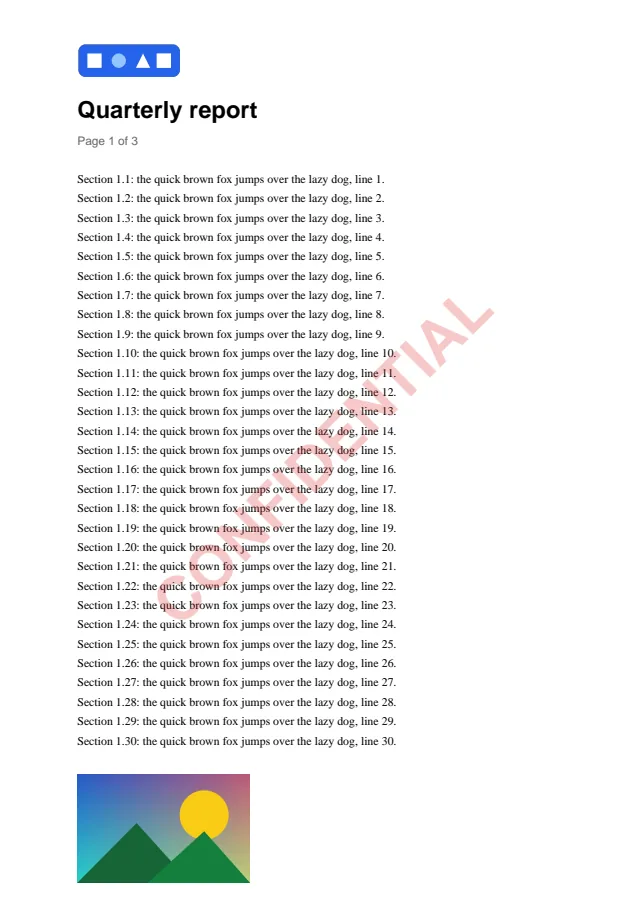
Pages of other PDFs: n-up and handouts
Section titled “Pages of other PDFs: n-up and handouts”PdfForm.FromPage turns any page of any document into a drawing you can scale and place. It shows
the page’s visible area (its crop box), upright as the page’s rotation shows it, and copies its
fonts and images into the target document once.
// Four pages of the manual on one landscape sheet: a handout.PdfDocument manual = PdfDocument.Open("manual.pdf");PdfDocument handout = PdfDocument.Create();PdfPage sheet = handout.Pages.Add(PdfRectangle.FromSize(842, 595));using (PdfGraphics g = sheet.CreateGraphics()){ double w = sheet.Width / 2, h = sheet.Height / 2; for (int i = 0; i < 4; i++) { PdfForm miniature = PdfForm.FromPage(handout, manual.Pages[i]); // fonts and images copied once double x = i % 2 * w, y = i / 2 * h; double scale = Math.Min((w - 20) / miniature.Width, (h - 20) / miniature.Height); double mw = miniature.Width * scale, mh = miniature.Height * scale; g.DrawForm(miniature, x + (w - mw) / 2, y + (h - mh) / 2, mw, mh); g.DrawRectangle(new PdfPen(PdfColor.Gray(0.7), 0.5), null, x + (w - mw) / 2, y + (h - mh) / 2, mw, mh); }}handout.Save("handout.pdf");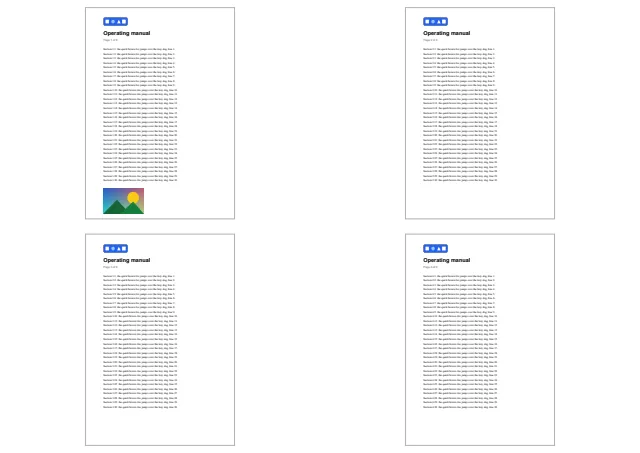
Letterheads and stationery
Section titled “Letterheads and stationery”Draw a page of a letterhead PDF underneath the content of every page with the background layer:
// A page of another PDF as the background of every page: a letterhead designed elsewhere.PdfDocument letterhead = PdfDocument.Create();PdfPage design = letterhead.Pages.Add(PdfRectangle.A4);using (PdfGraphics d = design.CreateGraphics()){    d.DrawRectangle(null, PdfColor.FromHex("#0F766E"), 0, 0, design.Width, 24);    d.DrawImage(PdfImage.Load("logo.png"), 455, 40, 100, 33);}
PdfDocument contract = PdfDocument.Open("contract.pdf");PdfForm background = PdfForm.FromPage(contract, letterhead.Pages[0]);foreach (PdfPage page in contract.Pages){    using PdfGraphics g = page.CreateGraphics(PdfGraphicsLayer.Background);    g.DrawForm(background, 0, 0, page.Width, page.Height);}contract.Save("contract-letterhead.pdf");
Limits
Section titled “Limits”- GIF and WebP animations contribute their first frame only.
- SVG filters, masks, patterns, external references and animation are not drawn.
PdfForm.FromPagedoes not carry annotations, which are not part of a page’s content. It throws when the source document does not permit copying its content.
Related
Section titled “Related”- Drawing
- Edit pages: import whole pages instead of placing them as drawings
- Extract images: read images back out of a PDF
- Convert a TIFF to PDF
- API: PdfImage, PdfImageFit, PdfImageAlignment, PdfSvg, PdfForm, PdfGraphics
Questions
- Does PdfNetStack recompress JPEG images when it places them?
- No. A JPEG is copied into the PDF as is, and its EXIF orientation is honored so photos stand upright.
- Does SVG stay vector?
- Yes. PdfSvg draws shapes, paths, gradients, clipping and text as PDF vectors, so the drawing stays sharp at any zoom. Filters, masks and patterns are not drawn.